August 2, 2026
How To Choose A Home Inventory App For Your Family
You're in the store in front of the olive oil and you genuinely cannot remember whether you have one at home or three. So you buy one. You get home. You have three.
Multiply that across every staple, every cleaning supply, every school year item, and you have the ordinary low grade waste that runs through most busy households. Not because anyone is careless, but because nobody can see inside their own house from the store.
Three different products share one name
Most families need consumables tracking, not just insurance photos. See why digital beats paper.
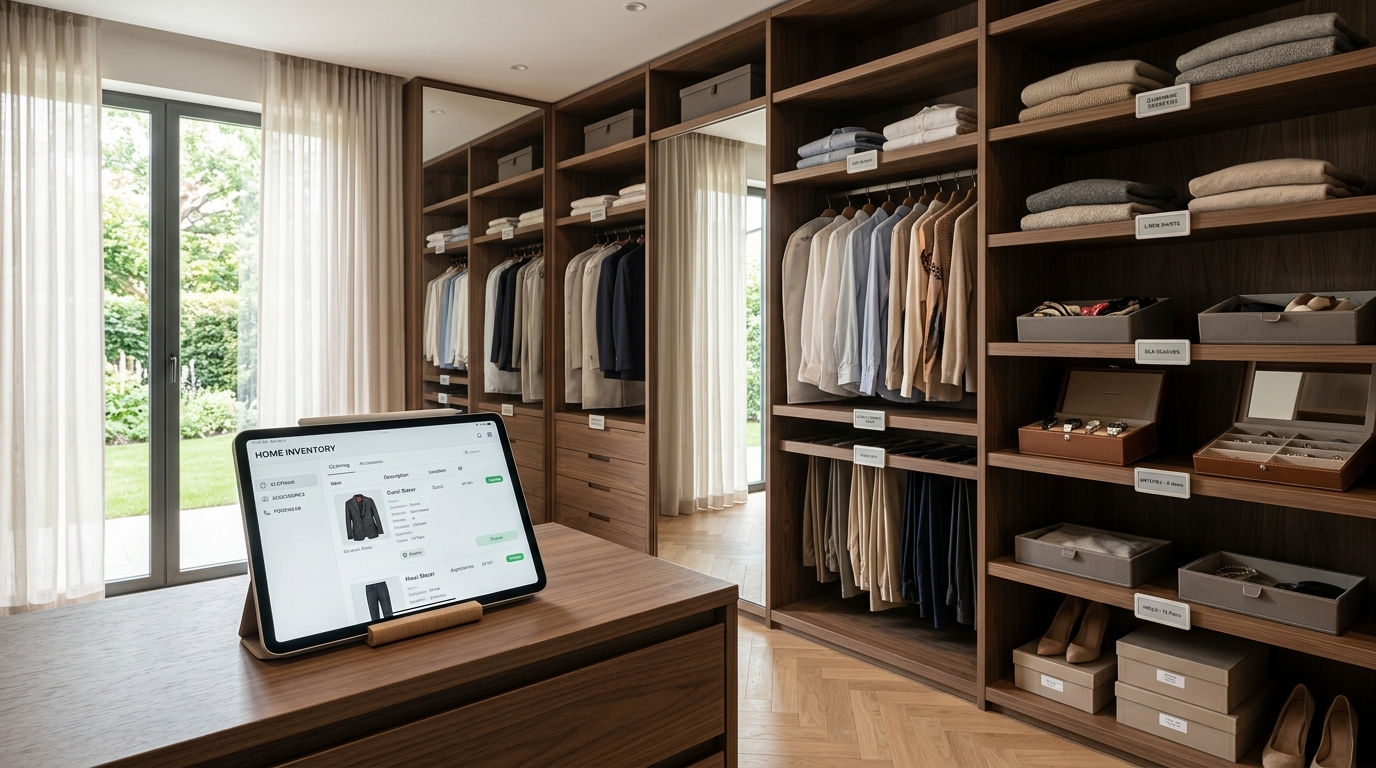
A home inventory app is a digital record of what your household owns, how much, where it lives and when it needs replacing. But they solve three genuinely different problems, and picking the wrong type is why people abandon them.
Consumables tracking is food, cleaning supplies, paper goods and personal care. Knowing what is low before you run out, and not re buying what you already own. This is the type that affects daily life most.
Insurance documentation is high value possessions with photos, serial numbers, purchase dates and receipts, kept for a claim after fire, flood or theft. Used once, urgently.
Locating is which bin in the garage holds the holiday decorations and which closet has the size 8 hand me downs. Storage mapping rather than quantity tracking. If this is your problem, a pantry that stays organized is the other half of the answer.
Decide which you are solving before you evaluate anything. An app built for insurance documentation is miserable for tracking paper towels. Most families need the first daily and the second once.
What it actually fixes
Spices are the classic re buy, but it is also batteries, tape, sunscreen, shampoo, socks. Each purchase is small. The year is not. An inventory does not require discipline to prevent this, only a phone in a store aisle.
Then there is the food you cannot see. Something goes behind something else and stops existing until it has expired. Visibility is the fix, and an inventory is visibility that survives a closed door. The fifteen minute hunt for a thing you know you own becomes a five second lookup. The same loop applied to shopping is running inventory and shopping together.
One person being the database
This is the one that matters most. When only one person knows what is in the house, that person becomes the lookup service, answering texts from the store, called at work about where the batteries are, rebuilding the shopping list every week alone.
A shared inventory is the difference between a household where one person is the database and one where everyone can query it. That is one piece of a larger structure, which is what a household management system actually is.
If you employ help, this becomes operational, and training household staff depends on the record existing before anyone is trained on it. Who decides what to restock? How do they tell you something's out? What happens when the person who knows the house is off? Without a shared record the answer is always that the owner handles it, which defeats a good part of why the help was hired.
What we will never build
A short list, because knowing what a tool refuses to do settles more nerves than another feature list.
- No asset reports for your spatulas. Five hundred fields per item is an insurance product wearing an organizing product's clothes.
- No guessing from a blurry shelf photo. A wrong count is worse than no count, because you stop checking.
- No scoring your home. Nobody needs a number telling them their kitchen is a six.
What not to track

What to look for, and what most apps get wrong for a large family. Why the inventory matters at all.
The fastest way to abandon an inventory is to try to hold everything.
Skip one off purchases you will never buy again, low value items you never go looking for, and the contents of a child's craft bin. Track the things where seeing the number changes something: a purchase, a task, or a search. If knowing the count would not change what you do next, it does not belong in there.
Features that actually matter
Most feature lists are noise. Five things decide whether an app survives past month one.
- Speed of entry. If adding an item takes longer than a few seconds, it will not happen. Barcode scanning, photo capture and sensible defaults matter more than any reporting feature.
- Genuine multi user. Not one login shared by four people. Separate users, so you can see who changed what, and role based permissions so staff can update counts without administrative access.
- Search that works on a phone, in a shop, on bad signal. This is the actual moment of use. Everything else is secondary to it.
- Locations, not just quantities. An item without a location answers half the question.
- Bilingual, if your house is. If the people maintaining your home read Spanish more comfortably, an English only interface produces errors that then get blamed on the person rather than on the tool.
Apps versus spreadsheets

A practical order of operations for getting started. Connecting it to the weekly shop.
A spreadsheet is free, flexible and genuinely fine at small scale. It handles perhaps thirty to a hundred items in one location for one person.
It fails on phones, which is where inventory is actually used. It fails on concurrent editing. It has no barcode entry, no reorder alerts, no permissions. If you're the only person who touches it and you're tracking one pantry, use a spreadsheet. Past that, the friction is what kills the habit, not the cost.
Setting it up without losing a weekend
Do not catalogue the house. That project has never once been finished by anyone.
Start with one category of twenty to forty items, usually pantry staples or cleaning supplies. Under an hour. Then add new things as you buy them rather than in a marathon. Within a month everything you actually use is in there, in increments small enough that you barely notice.
The category to start with is whichever one you've re bought most recently. That's the one already costing you money.
A first week that actually finishes
One small category a day. Nothing takes longer than the time it takes to unload a dishwasher.
- Day one. Pantry staples. Flour, sugar, rice, oil, pasta, tinned goods.
- Day two. Paper goods. Towels, tissues, foil, bags, wraps.
- Day three. Cleaning supplies, under one sink only.
- Day four. Personal care. Shampoo, soap, toothpaste, the things bought in threes.
- Day five. Batteries, bulbs, tape, glue, the drawer everyone digs through.
- Day six. Nothing. Add whatever came into the house this week as you put it away.
- Day seven. Walk one room and add only what you notice missing.
By day seven the habit is the thing that exists, not the catalogue.
The four objections, answered
I'll forget to update it. Attach it to something you already do. Updating while you unload groceries takes about two minutes and needs no memory, because the trigger is the bag in your hand.
My spouse won't use another app. Then they should not have to. One person maintaining it while everyone else can look things up is still the whole point: the house stops depending on one person's memory even if it depends on one person's typing.
I don't have time to enter hundreds of items. Do not. Twenty to forty in the first hour, then only what you buy. Anyone who tells you to catalogue the house is describing a project nobody has finished.
My housekeeper needs access, but not to everything. That is a permissions question, and it is the one to ask a tool before you choose it. Someone should be able to update counts and complete work without seeing what your jewellery is worth.
Four houses, four different problems
A family with young children. The restock cycle is fast and the failures are visible: snacks, wipes, batteries. Track the twenty things that run out and ignore the rest.
A household with staff. The question stops being what do we own and becomes who decides to restock it and how do they tell you. This is where permissions and a shared record stop being nice and start being the job.
A house with seasonal storage. Holiday things, outgrown clothes, Pesach sets. Here location matters far more than quantity. You are not counting, you are finding.
A family with a second home. Two of everything, in two places, and no way to see both at once. This is the case where memory fails completely, because nobody holds two houses in their head.
Frequently Asked Questions
What is the best home inventory app for families?
The best one is whichever matches the problem you're solving, so decide first whether you need consumables tracking, insurance documentation or location mapping. Beyond that, judge on speed of entry, real multi user support with permissions, and phone search. Sorted & Stocked is built for the first case, including households with staff and more than one property.
Is a home inventory app worth it?
For most busy households, yes, mainly through avoided duplicate purchases and less food thrown away. The value scales with household size and complexity. A family with staff or several properties sees a far larger return than one person in a small apartment.
How do I start a home inventory without spending a whole weekend?
Start with one category of twenty to forty items, usually pantry staples or cleaning supplies, which takes under an hour. Then add new items as you buy them rather than cataloguing everything at once. Within a month your most used items are all entered.
Can a home inventory app help with insurance claims?
Yes, and it's one of the highest value uses. Record photos, serial numbers, purchase dates and receipts for high value items, and keep a backup stored outside your home. Insurers settle on what you can document, and rebuilding a full list from memory after a loss is extremely difficult.
What's the difference between a home inventory app and a pantry app?
A pantry app tracks food specifically, usually with expiry dates and recipe suggestions. A home inventory app covers the whole household, including supplies, equipment and valuables, with locations across every storage area. If food is your only pain point, a pantry app may be enough.
Do home inventory apps work for households with staff?
Only if they support multiple users with role based permissions, so staff can update counts and complete tasks without full administrative access. Bilingual support matters here too. An English only interface produces errors that get blamed on the person rather than the tool.
How often do I need to update my home inventory?
Two minutes weekly is enough for most households if you attach it to something you already do, like unloading groceries. Barcode scanning reduces it further. The deciding factor isn't frequency, it's whether updating is easy enough to happen at all.
Ready for a Home That Works For You?
An inventory is a tool, and tools work best inside a system. If you're re buying olive oil, you're probably also losing time to the emergency store run and the weekly rebuild of the shopping list from scratch.
Those are the same problem wearing different clothes: the household's information lives in one person's head.
Related Reading



Sort + Place is a professional organizing and household management practice serving families in Lakewood, New Jersey and the surrounding tristate area.
Want this running in your own house?
We build the systems, label the shelves and train the people who keep it all going.
Book Your Consultation